The Supertip Playbar is how you can tell what's happening on your show in real time, allowing you to control and observe the display of tips on your show overlay.
The Playbar will always reflect what is happening on your overlay in real time, even while different users have the Supertip panel loaded on different machines or devices. This can allow you to have a producer for your show in another location handling your tip presentation from another computer, tablet or phone, and you will both see what's happening on your show.
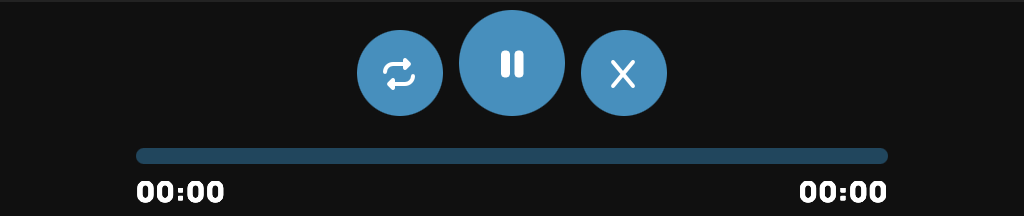
The Playbar is always visible at the top of your panel. It features three buttons and a tip timeline. The buttons function as follows:
Loop: Loops the currently playing tip indefinitely.
Pause/Play: Used to pause and resume any tip which plays audio or video on your overlay.
Dismiss: Immediately dismisses the currently displayed or playing tip from the Playbar preview as well as your overlay.
When a tip is playing, you see a preview of the tip pop up beneath the Playbar.

Text tips will display on your overlay and the Playbar preview immediately when played, and will remain there until they are dismissed with the X dismiss button on the tip itself or the X dismiss button on the Playbar.

Voice tips will show progress on the Playbar tip timeline along with elapsed and total tip time. If multiple speakers are used in one tip, the Playbar preview will update automatically as the tip plays. You can pause and resume the play of these tips at any time, or dismiss them with the X dismiss button on the tip itself or the Playbar.

When you have clicked several tips to play in succession, or when tips come in that are selected to Skip the Queue, they will be scheduled to play in the order they were received by the Playbar. An Upcoming Tips list will appear in the upper left showing you what tips are scheduled to play next.
Was this article helpful?
That’s Great!
Thank you for your feedback
Sorry! We couldn't be helpful
Thank you for your feedback
Feedback sent
We appreciate your effort and will try to fix the article